Presentation and settings
pi-web-agent keeps web research output compact by default.
That is deliberate. Research output gets noisy fast, especially when a tool is doing multiple search and fetch passes internally. The goal is to keep the transcript readable first, while still letting you ask for more detail when you want it.
Before and after
Compact output is the default now, so normal research flows stay readable instead of turning into a wall of raw tool output.
| Before | After |
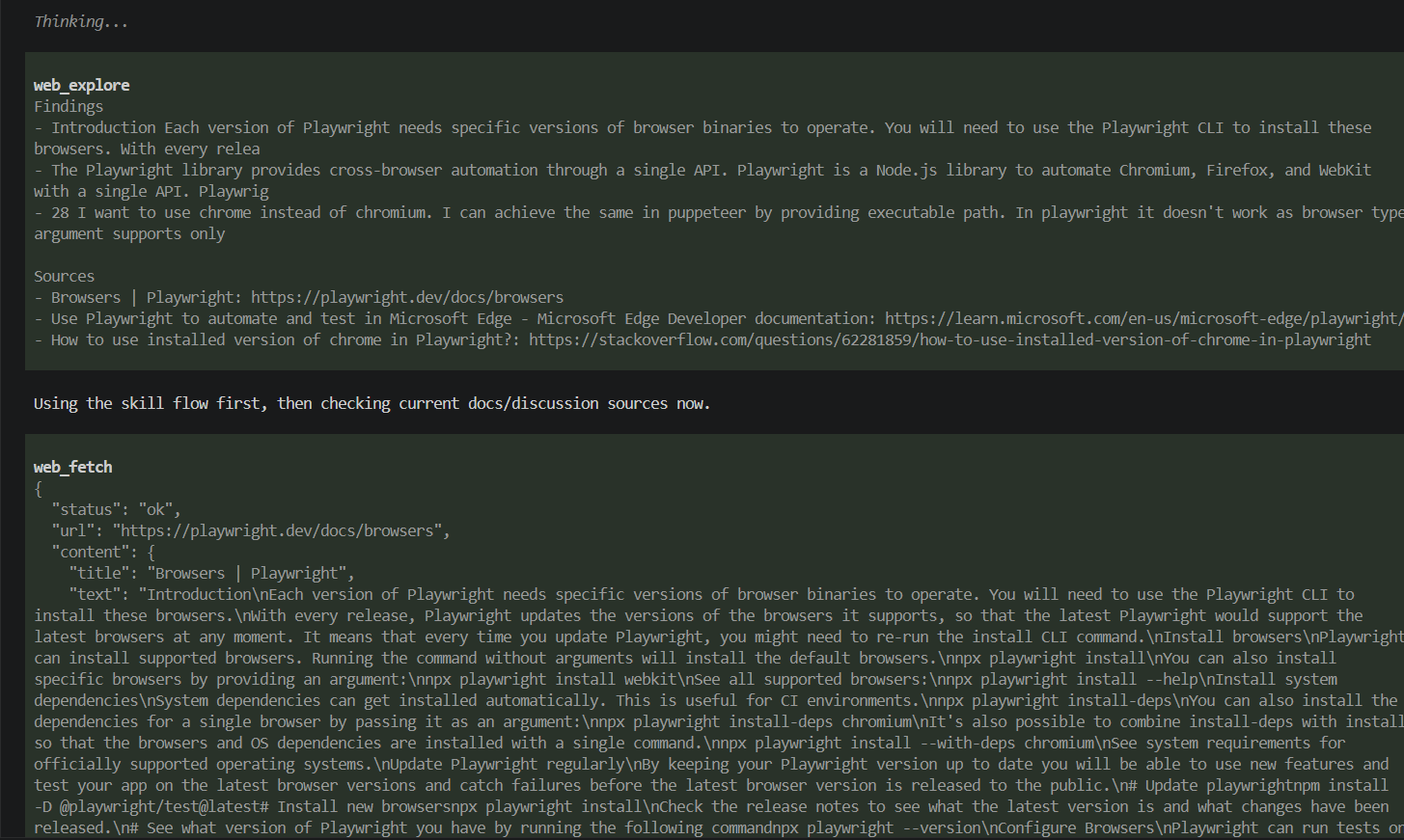 | 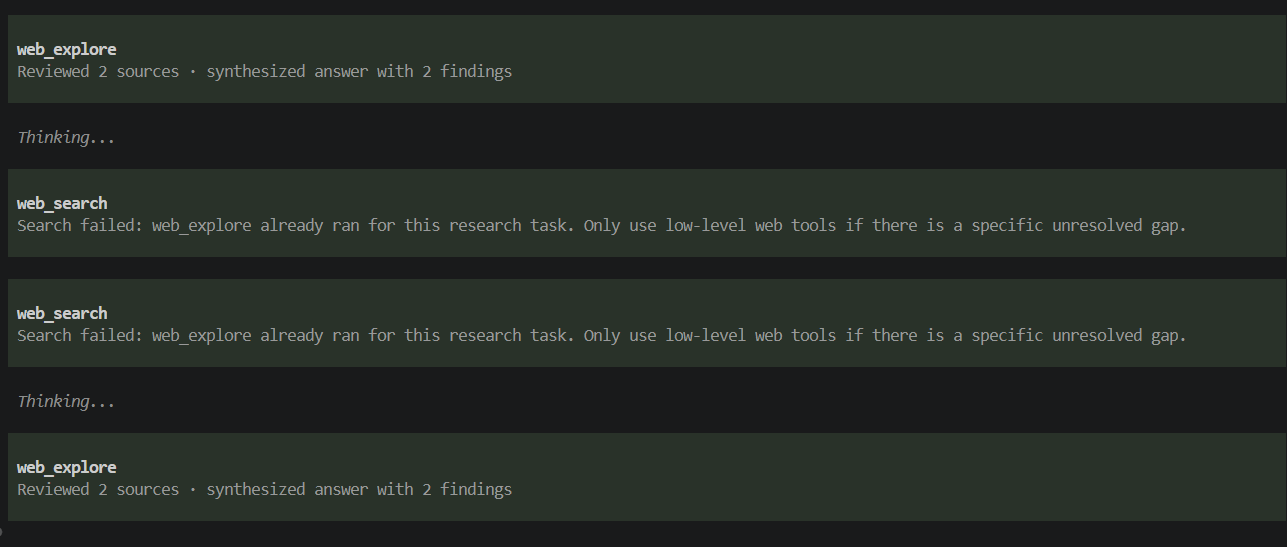 |
If you want more detail inline, switch modes in /web-agent settings instead of living with the noisy default.
The three presentation modes
web_explore can be shown in one visible mode at a time:
compact: the shortest useful summarypreview: findings with internal provenanceverbose: findings, sources, caveats, and internal provenance
The important part is that these are not stacked on top of each other.
If a result is shown in preview, you get the preview body instead of a compact summary plus extra text under it.
Default behavior
Out of the box, web_explore uses compact.
Example compact output:
Reviewed 3 sources · synthesized answer with 3 findingsIf no useful evidence was found, compact output says that plainly:
No usable evidence foundPreview and verbose provenance
Preview and verbose modes show the internal reader that produced each finding:
- [web_fetch] Official docs say ...
- [web_fetch_headless] Rendered page says ...

Internal research: web_search ×2, web_fetch ×5, web_fetch_headless ×1
Those labels are internal provenance. They do not mean web_search, web_fetch, or web_fetch_headless are public tools in normal use.
The fastest way to change it
Open the settings UI:
/web-agentThat is the shorthand. The explicit form is:
/web-agent settingsThese also work:
/web-agent settings
/web-agent show
/web-agent reset project
/web-agent reset global
/web-agent mode preview
/web-agent mode web_explore verbose
/web-agent mode web_explore inherit
What /web-agent does
/web-agent opens the action menu. Choose Settings to pick between:
- Presentation: default output mode and the
web_exploreoverride - Backends: search/fetch providers, base URLs where relevant, fallback behavior, and env-var reminders for Brave/Firecrawl API keys
From either settings screen you can:
- choose whether you are editing global or project settings
- save, reset the current scope, or cancel
Keyboard shortcuts in the settings UI:
Ctrl+SsaveCtrl+Rreset current scopeEsccancel
Config files
Settings are stored in real JSON files. The UI writes presentation and backend sections separately so changing one does not wipe the other.
Global config:
~/.pi/agent/extensions/pi-web-agent/config.jsonProject config:
.pi/extensions/pi-web-agent/config.jsonPrecedence
Effective behavior is resolved in this order:
- built-in defaults
- global config
- project config
Project config overrides global config.
That means you can keep a personal default and then override it inside one repo when you want different transcript behavior there.
How inheritance works
The web_explore override inherits from the current default mode unless you set it explicitly.
So if your default mode is preview and web_explore is set to verbose, then web_explore uses verbose.
When you switch web_explore back to inherit, the package removes that override instead of writing extra noise into the config file.
Example config
{
  "presentation": {
    "defaultMode": "compact",
    "tools": {
      "web_explore": { "mode": "verbose" }
    }
  },
  "backends": {
    "search": { "provider": "duckduckgo" },
    "fetch": { "provider": "http" },
    "headless": { "provider": "local-browser" }
  }
}
Backend provider, URL, and fallback settings are usually easier to edit through Settings → Backends than by hand.
When to use each mode
A good practical rule:
- use
compactif you mostly want clean transcripts - use
previewif you want findings plus internal provenance - use
verboseif you want sources and caveats inline too
For most people, compact as the default is probably right. Use preview or verbose when you are debugging research behavior or want to inspect what happened under the hood.